Page 1 of 1
NeoFinder 9.0 available TODAY!
Posted: Tue Oct 14, 2025 9:05 am
by neo-admin
NeoFinder 9.0 for macOS is here!
- neofinder.9.0.jpg (266.19 KiB) Viewed 68641 times
Get it NOW!

This is such a massive new version, we will need months to show you all the new features and improvements here.

Here is a list of the most major new features:
- Improved user interface with crystal clear icons, nicely legible text, and no distracting transparencies
New Cataloging engine with more speed and reliability
Full native support for fast cataloging of RED files (".r3d")
Full native support for fast cataloging of Nikon NEV videos
Ability to move files to new folders inside a Catalog
Text Replacements for the XMP Editor for faster annotations
Image Capture to import photos and videos from connected cameras, including adding XMP presets, and store them in a date based folder structure
Video Contact Sheet works with MKV, AVI, NEV, and even R3D files
Video Contact Sheet has more options to customize, including colors, tech info, and more
Quickly catalog Audio-CDs by scanning their barcode
Web Gallery with five new templates, customization and sort options, and the ability to add watermarks to the photos
New global menu bar app with a nice user interface, and the ability to select the kind of items to be searched
QuickPerson panel to add persons with just a single click
QuickTags panel to add keywords with just a single click
Mini Contact Sheet for videos, which gets 2 x 2 frames in one thumbnail when cataloging them
Multi Renamer has ten more variables to be placed in the new names
New Appearance style: "Drawing board"
Catalog Insta360 ".lrv" files
Catalog SMTPE timecodes embedded in video files, display them, export them, and search for them
Catalog the Exposure Bias for photos
NeoFinder 9.0 is certified to run in macOS 26 "Tahoe"
Updated Display Filter with single click selections and the option to filter out small or large photos
QuickLook for offline items is possible and will show the thumbnail stored in the Catalog
But that is far from all of it, the complete list of all new features can be found here:
https://www.cdfinder.de/versions.html
Image Capture
Posted: Thu Oct 16, 2025 3:38 pm
by neo-admin
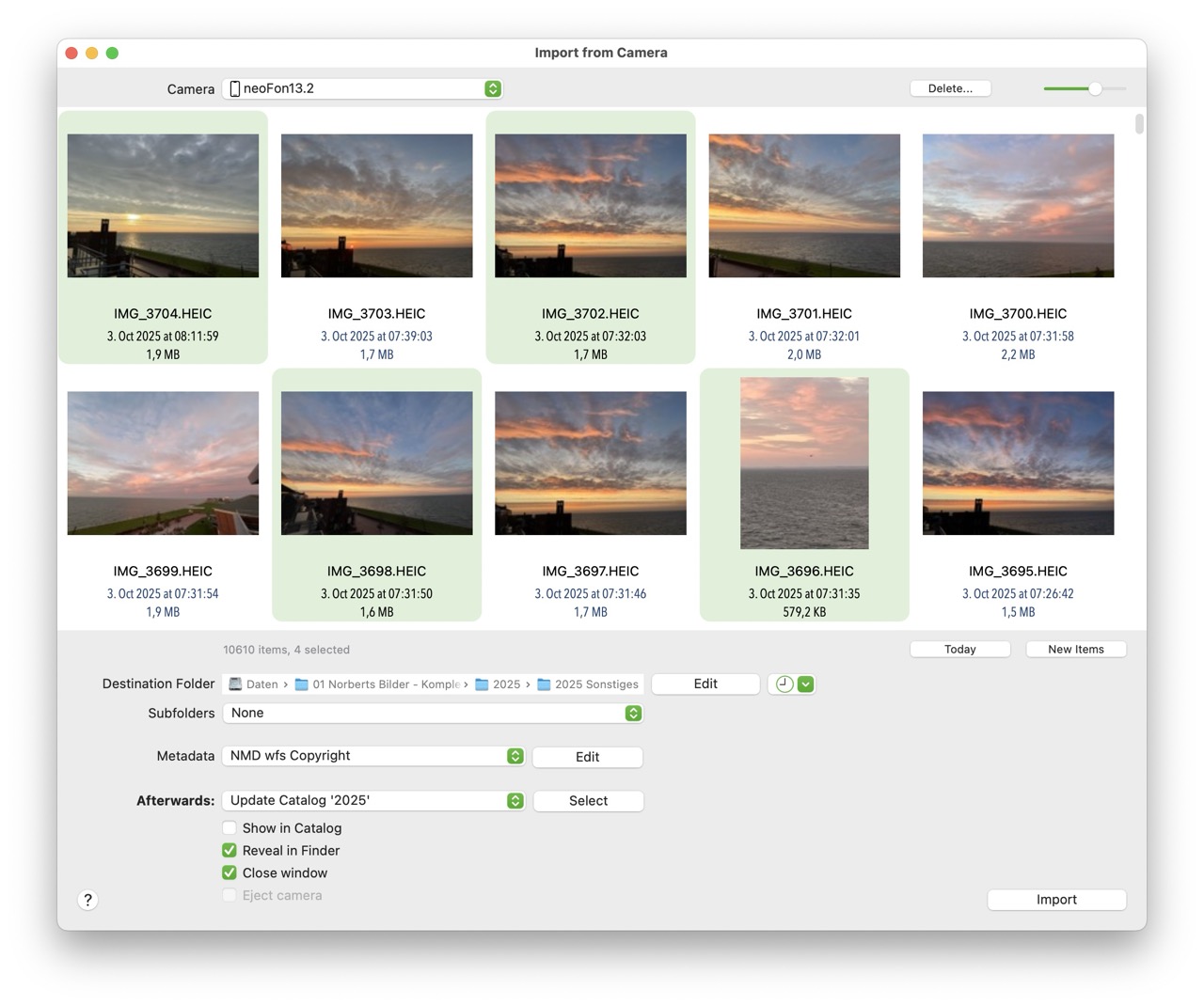
One of the massive major new features in NeoFinder 9.0 is the ability to directly import photos and videos from connected photo cameras and iOS devices.
The NeoFinder Users Guide has now more about that:
https://www.cdfinder.de/guide/17/17.14/ ... pture.html
In one step, you can download the images, place them in date based folder structures, add metadata presets to them, and catalog it all with NeoFinder!
Check it out!
- Image Capture.jpg (189.18 KiB) Viewed 67554 times
Catalog RED videos!
Posted: Fri Oct 17, 2025 5:10 pm
by neo-admin
RED!
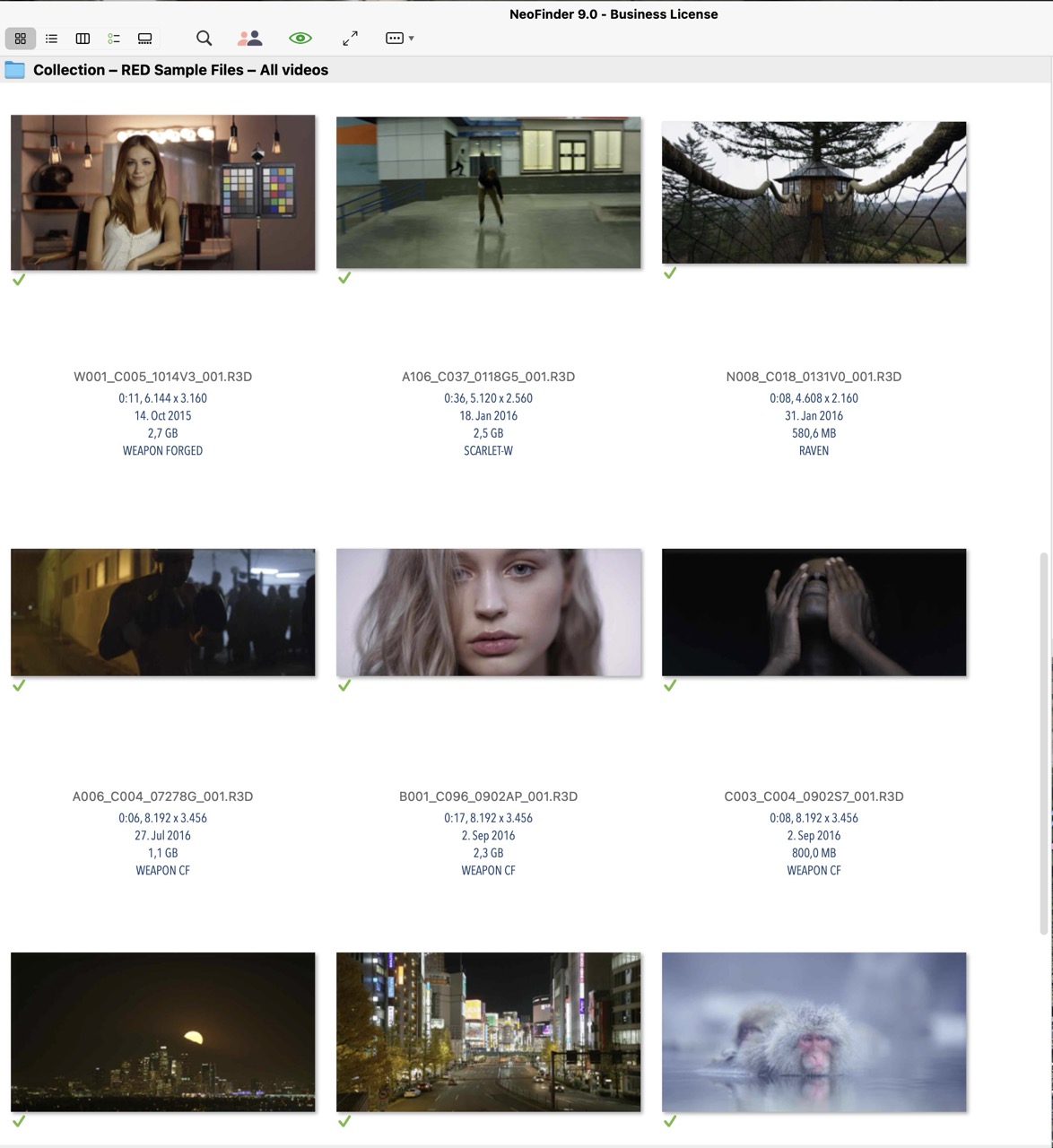
NeoFinder 9.0 for macOS now contains the official libraries to read and process .r3d video files!
That means you get thumbnails and metadata out of these movie files without additional software needed.
Enjoy!
https://www.cdfinder.de/video-toolbox.html
- RED Cataloging.jpg (203.3 KiB) Viewed 67222 times
NeoFinder in the Menu Bar!
Posted: Mon Oct 20, 2025 3:53 pm
by neo-admin
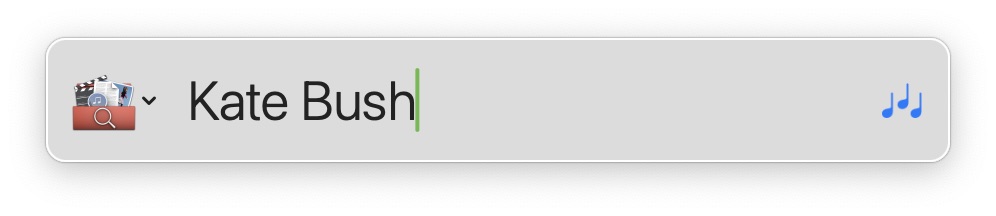
NeoFinder 9.0 for macOS has a brand new search command for the global menu bar. It has been visually updated, and some very exciting new features!
Check out the updated NeoFinder Users Guide for more:
https://www.cdfinder.de/guide/5/5.4/quickfind_menu.html
- QuickFind Menubar Window.jpg (23.83 KiB) Viewed 66939 times
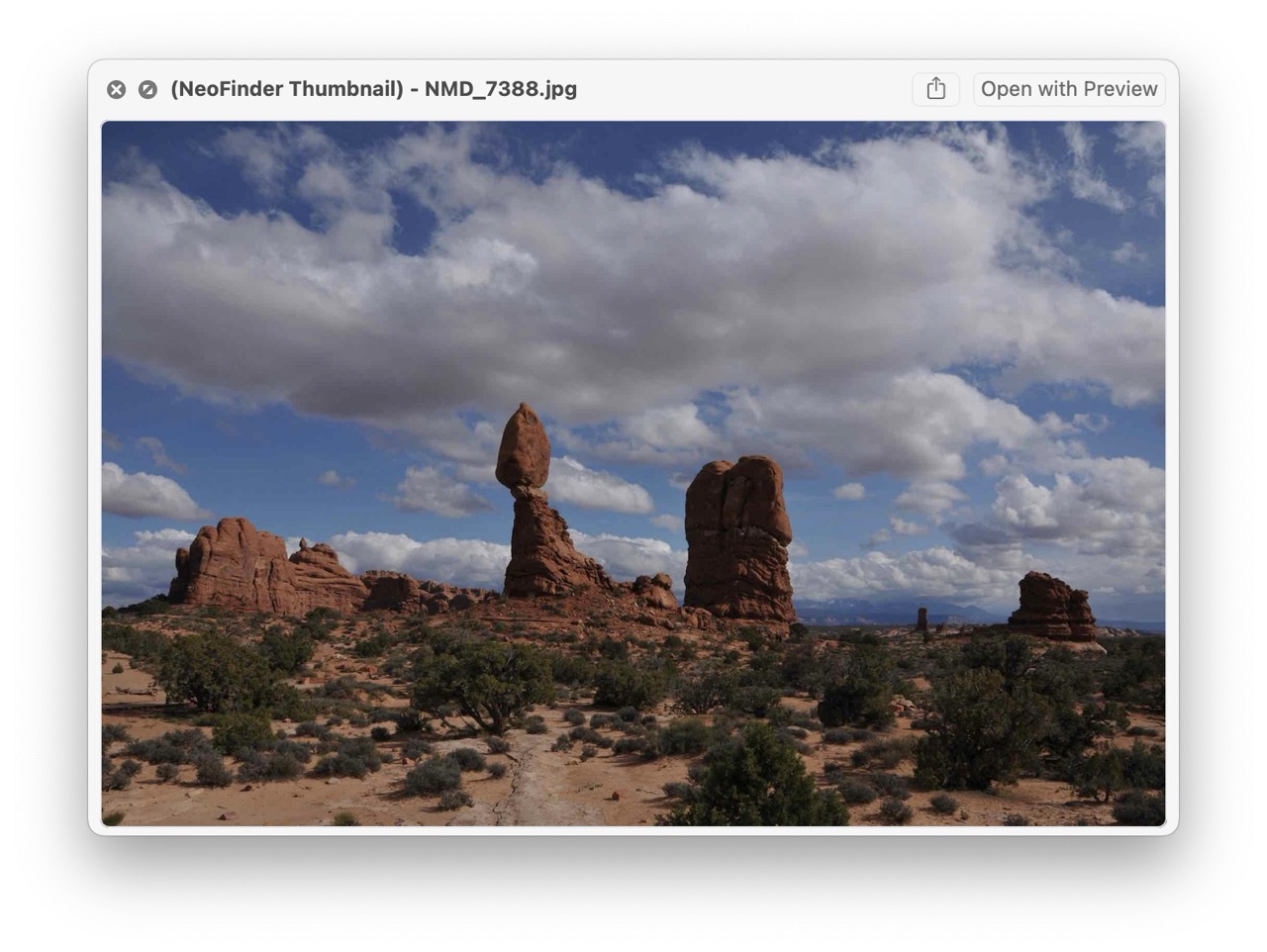
QuickLook for offline files!
Posted: Wed Oct 22, 2025 3:26 pm
by neo-admin
NeoFinder 9 for macOS adds
QuickLook support for files that are offline!
NeoFinder will now display the embedded thumbnail of that item in the Catalog in Apples QuickLook, so you can see large thumbnails very quickly.
Just hit the Space key on your keyboard, and enjoy it!
https://www.cdfinder.de/guide/8/8.3/neo ... klook.html
- offline quicklook.jpg (212.33 KiB) Viewed 66596 times
QuickPersons!
Posted: Thu Oct 23, 2025 3:50 pm
by neo-admin
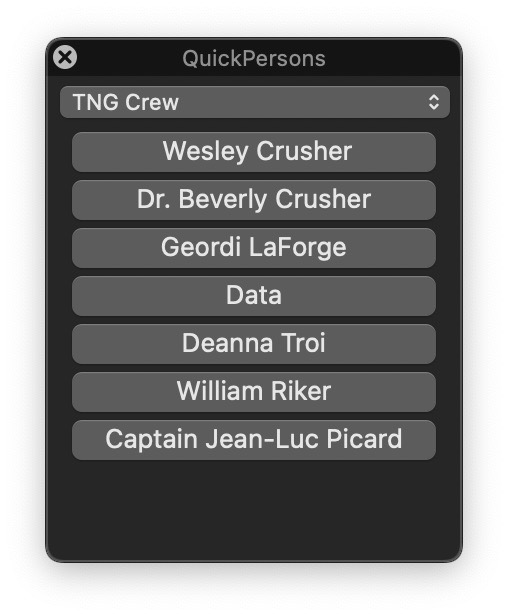
NeoFinder 9.0 has a new tool to very quickly create groups of person names that can be assigned to one or many selected media files with just a single click!
That makes it easy to annotate a very large number of files with Person information.
The NeoFinder Users Guide shows you how to set it up and use it:
https://www.cdfinder.de/guide/13/13.4/1 ... rsons.html
- QuickPerson group contents.jpg (46.93 KiB) Viewed 66031 times
Exposure Bias
Posted: Tue Oct 28, 2025 4:28 pm
by neo-admin
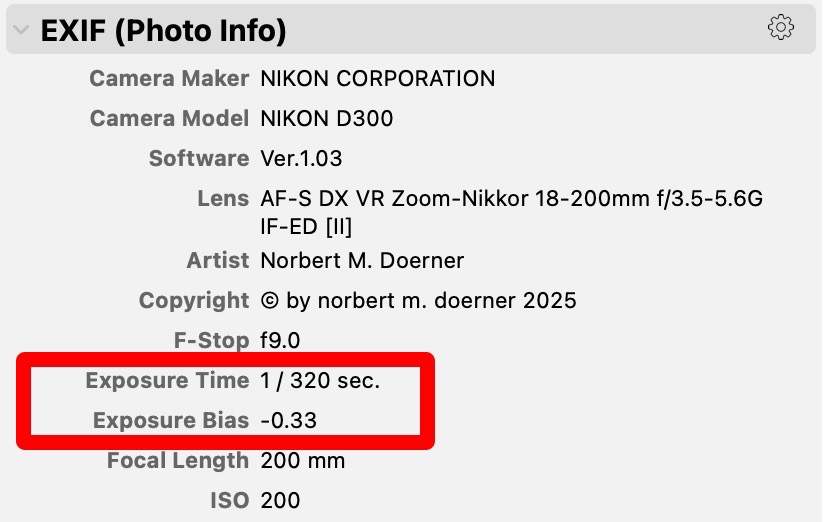
NeoFinder 9.0 for Mac will now catalog the Exposure Bias for photos.
This value will be displayed in the Inspector, in the EXIF data section.
If you don't know what it is, don't worry, you won't need it then...
https://www.cdfinder.de/photo-organizer.html
- exposure bias.jpg (65.93 KiB) Viewed 64071 times
Dark Lucid with Slideshow
Posted: Wed Oct 29, 2025 4:55 pm
by neo-admin
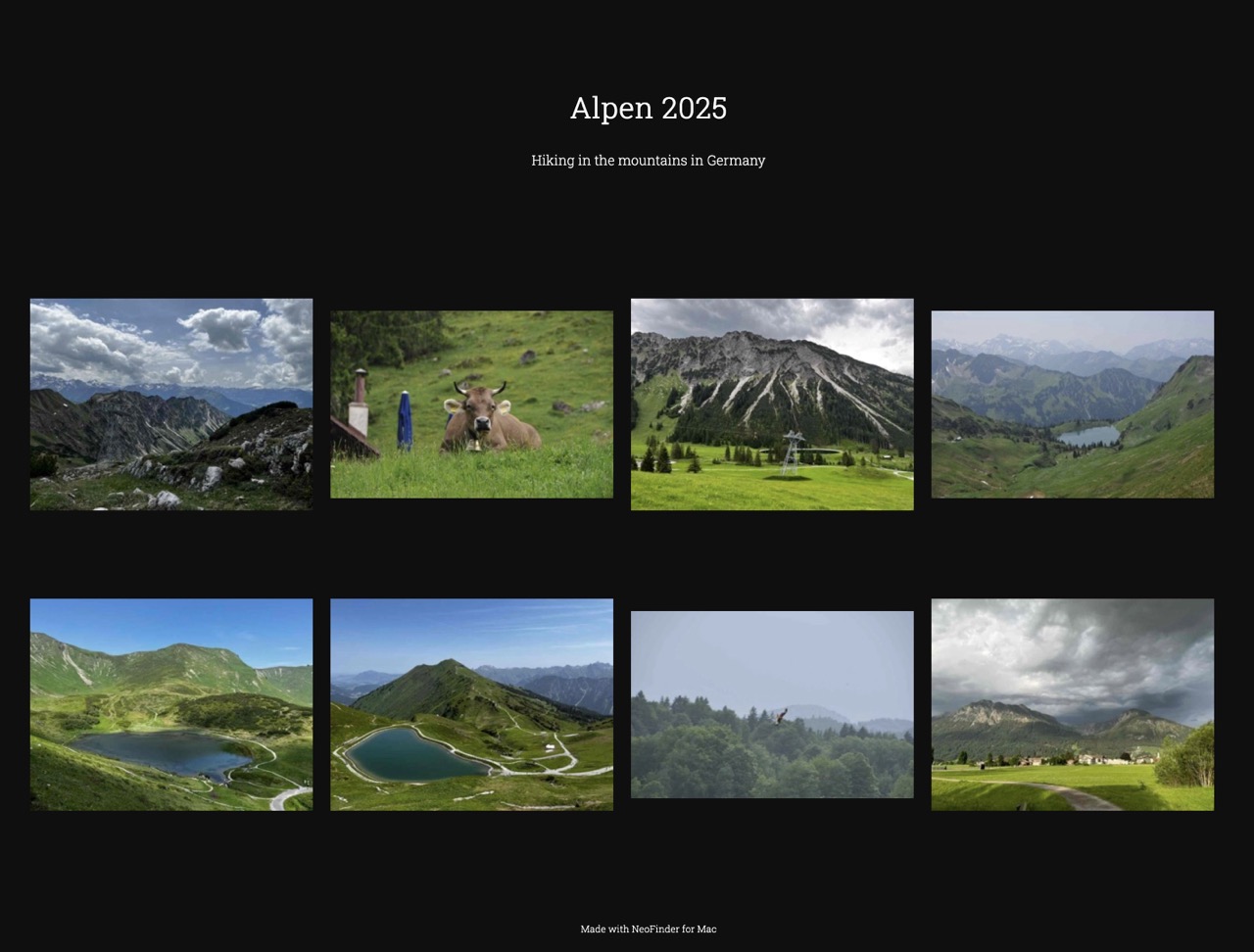
NeoFinder 9.0 comes with many new web gallery templates to present your photos, one of them is called "Dark Lucid with Slideshow" and it shows your pictures with a black background and also has a built-in slideshow.
the NeoFinder Users Guide has more:
https://www.cdfinder.de/guide/10/10.1/n ... eries.html
Here is a live example with real photos, so you can see it for yourself!
https://www.wfs-apps.de/gallery/DarkLucidSlideshow/
- Dark Lucid.jpg (164.64 KiB) Viewed 63278 times
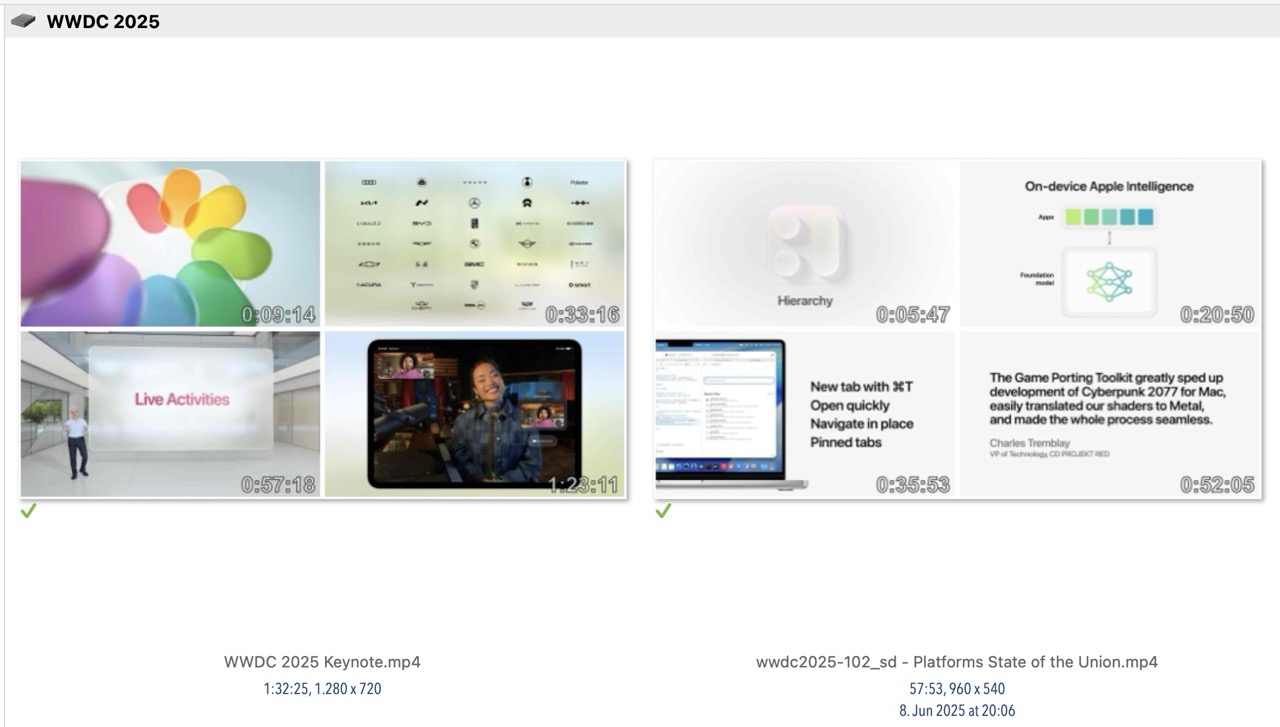
Catalog more than a single video frame!
Posted: Thu Oct 30, 2025 5:09 pm
by neo-admin
A massive new feature in NeoFinder 9.0 for macOS is the ability to create not just ONE, but FOUR thumbnails of a video file, just like a small
video contact sheet.
This will give you a much better overview of what is in these long video recordings!
Setting this up is super easy, just one click in the Cataloging Settings.
We have updated the NeoFinder Users guide with more details:
https://www.cdfinder.de/guide/22/neofin ... ntactSheet
- Mini Video Contact Sheets.jpg (105.49 KiB) Viewed 62897 times
QuickFind in the menu bar - Select media types!
Posted: Fri Oct 31, 2025 2:02 pm
by neo-admin
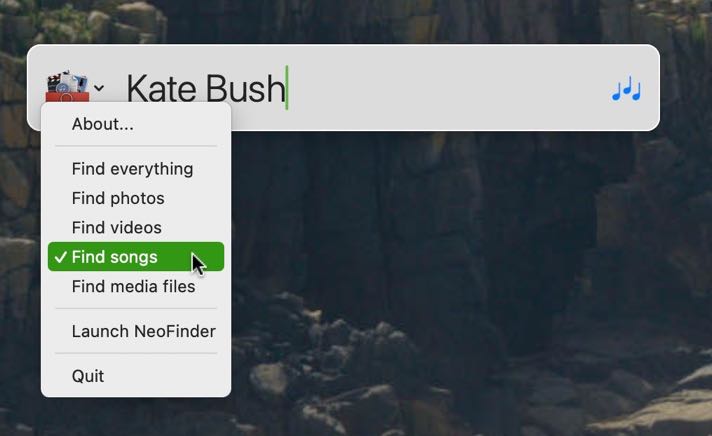
The new global menu bar app in NeoFinder 9.0 for macOS lets you select the kind of items to be searched!
Select the type of items you want to find in the menu, and it will show a nice icon for the type in the search field, so you know what results to expect.
https://www.cdfinder.de/guide/5/5.4/quickfind_menu.html
- quickfind-menu-bar-commandmenu.jpg (29.58 KiB) Viewed 62609 times
Web Gallery: New Options!
Posted: Tue Nov 04, 2025 3:03 pm
by neo-admin
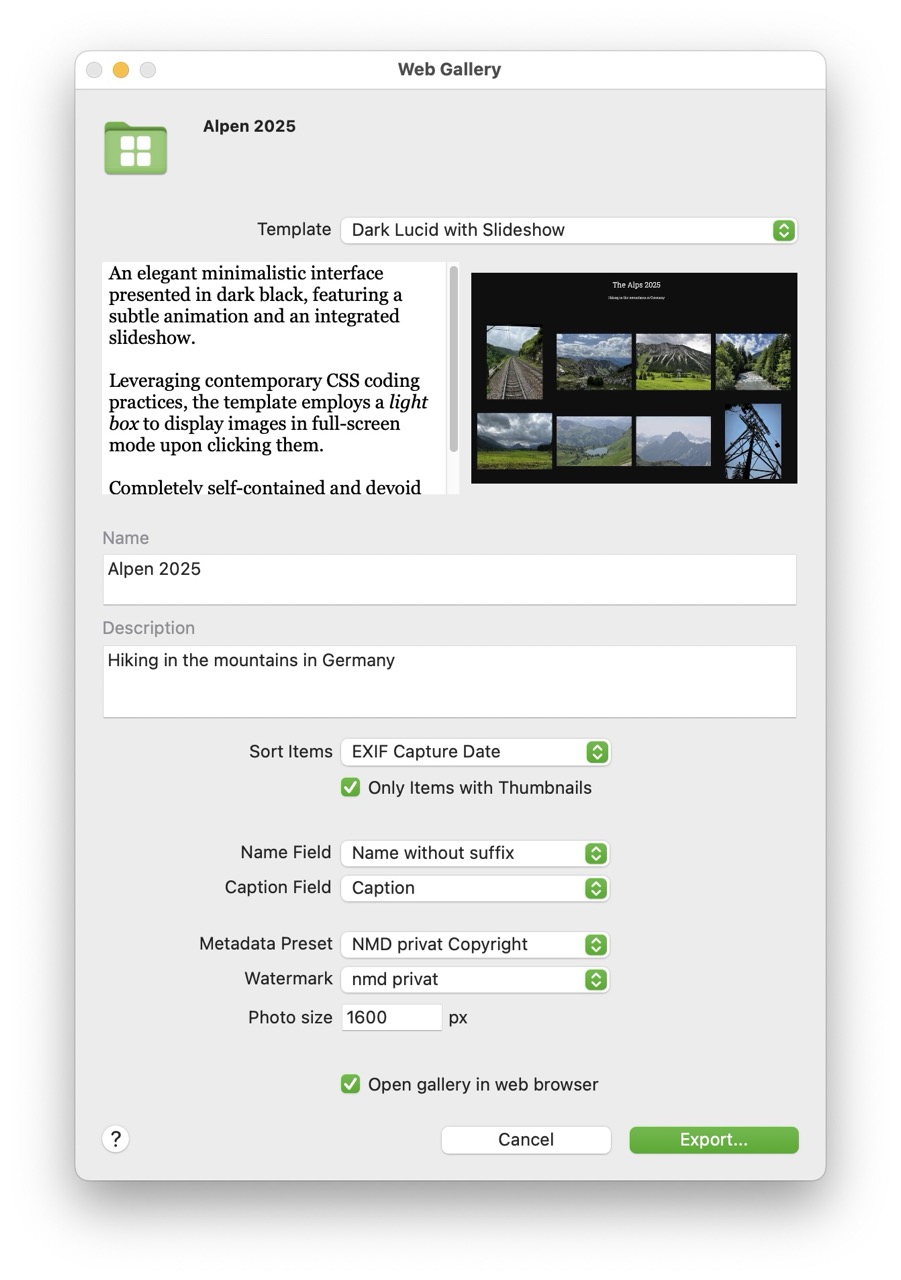
The Web Gallery HML export in NeoFinder 9.0 for macOS is massively improved, not just with a total of FIVE new templates, but also more options to customize the results.
For example, you can now add visual
watermarks to your exported photos, and modify the
photo size.
Check out the updated NeoFinder Users Guide section for this:
https://www.cdfinder.de/guide/10/10.1/n ... eries.html
- Web Gallery Settings.jpg (148.92 KiB) Viewed 61882 times
Movie Contact Sheet Supercharged!
Posted: Thu Nov 06, 2025 4:52 pm
by neo-admin
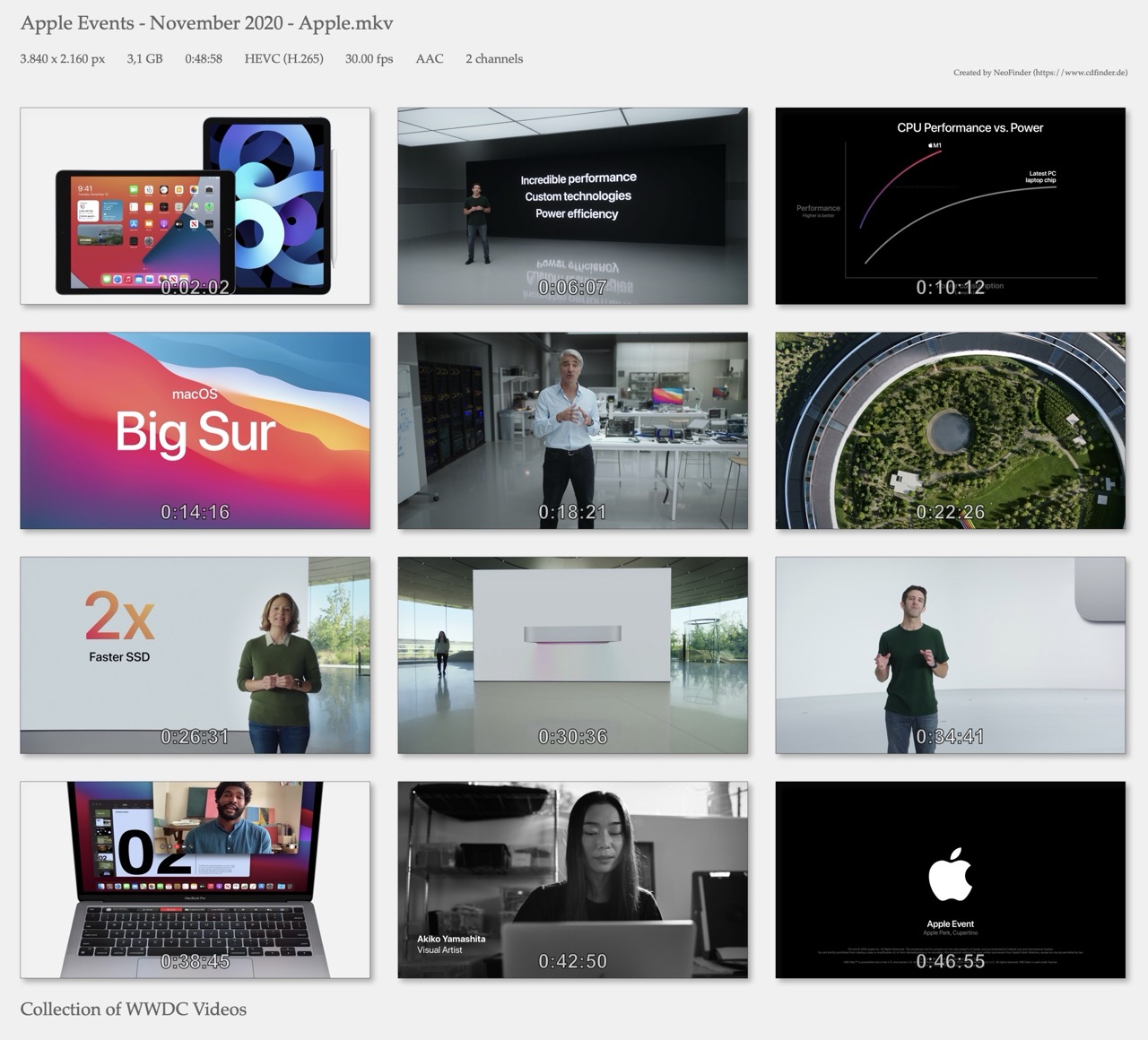
The powerful Video Contact Sheet in NeoFinder 9.0 for macOS now works with MKV, AVI, Nikon NEV, BlackMagic BRAW, and even R3D files!
That is a massive improvement for all cinematographers and video producers out there.
We have updated the NeoFinder Users Guide with more information:
https://www.cdfinder.de/guide/22/22.1/ ... sheet.html
Enjoy!
- movie contact sheet mkv.jpg (266.34 KiB) Viewed 61552 times
Text Replacements
Posted: Mon Nov 10, 2025 11:51 am
by neo-admin
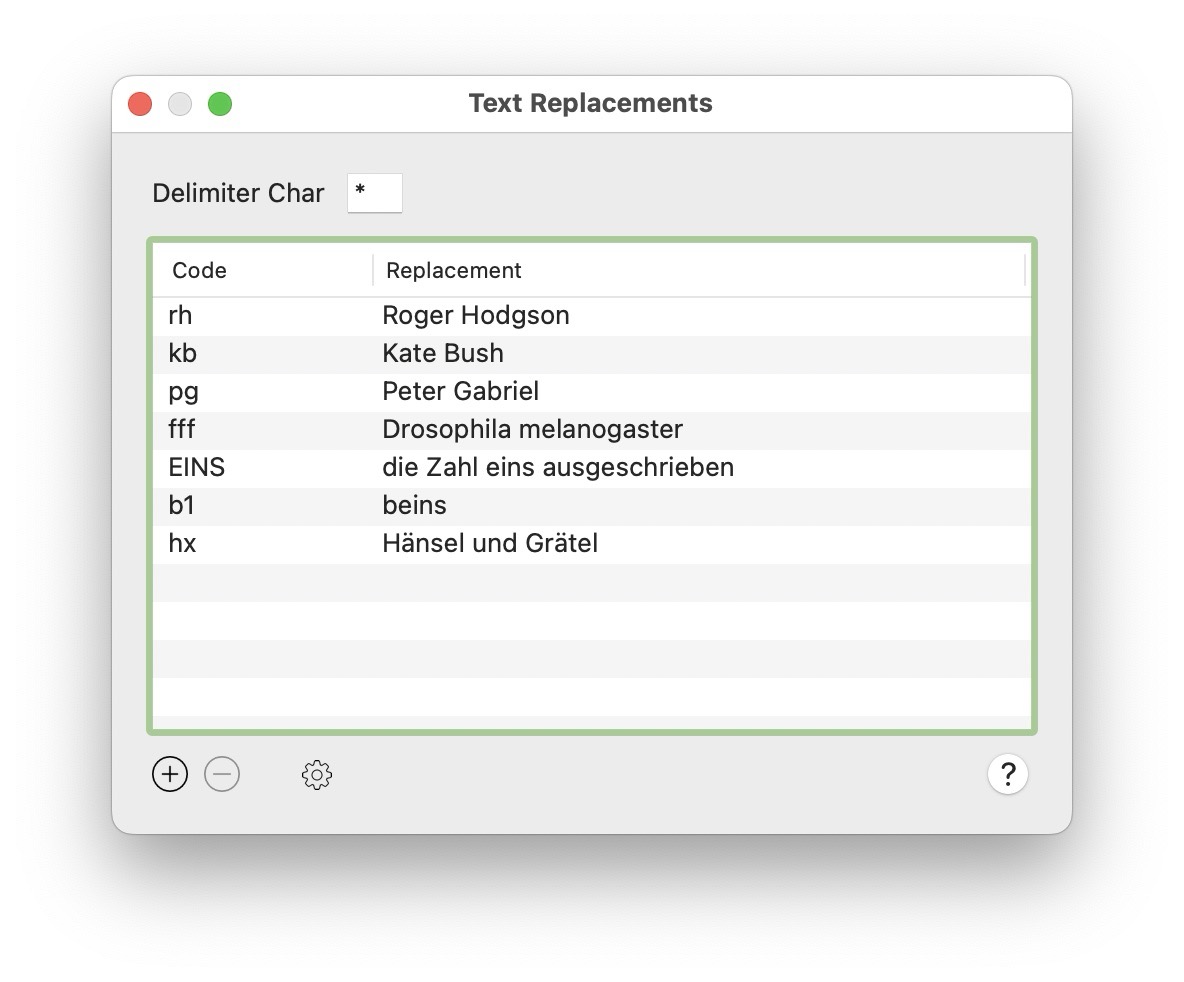
One major feature of NeoFinder 9.0 for macOS is the ability to have its own
text replacements.
We keep that separate from the default macOS text replacements, so you can use it specifically for the XMP Editor, to help you get faster and more precise annotations.
The NeoFinder Users Guide has been updated with more details, please check it out!
https://www.cdfinder.de/guide/13/13.12/ ... ments.html
- Text Replacements.jpg (106.88 KiB) Viewed 61241 times
Catalog Audio-CDs by scanning their barcode!
Posted: Thu Nov 20, 2025 10:39 am
by neo-admin
Actually, we thought that the need to catalog Audio-CDs was on its way out, yet here we are.
More and more people remember that physical disks belong to them, cannot easily go away, and can be played without internet connections, accounts, and what-not.
Also, buying CDs at concerts is a great way to support music and the artists.
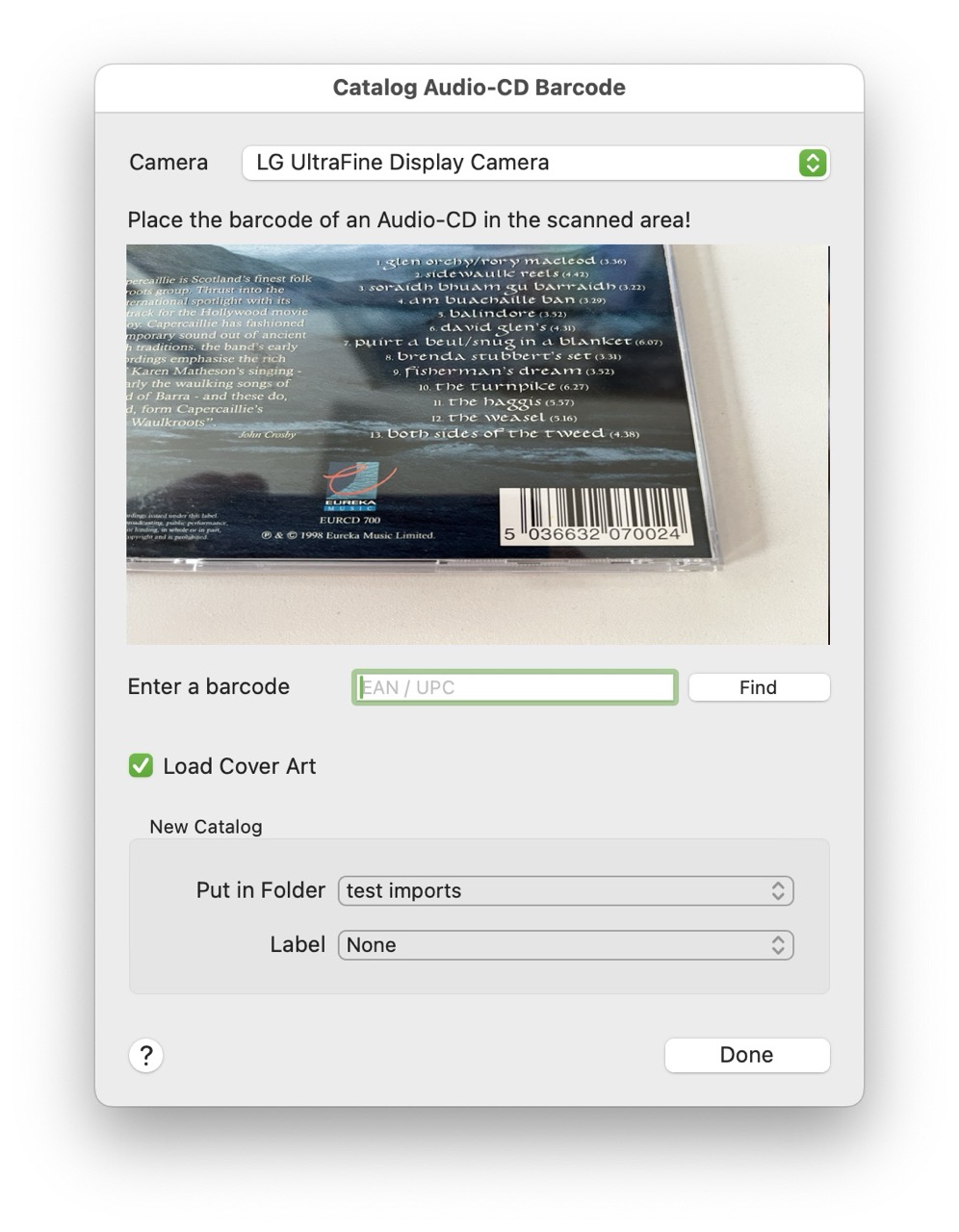
So, NeoFinder 9 can now catalog Audio-CDs simply by scanning their barcode!
We have updated the NeoFinder Users Guide on how that works, and how to use that:
https://www.cdfinder.de/guide/16/16.1/b ... nning.html
- scan barcode window.jpg (177.88 KiB) Viewed 60526 times
Full native Nikon NEV video file support!
Posted: Mon Nov 24, 2025 12:32 pm
by neo-admin
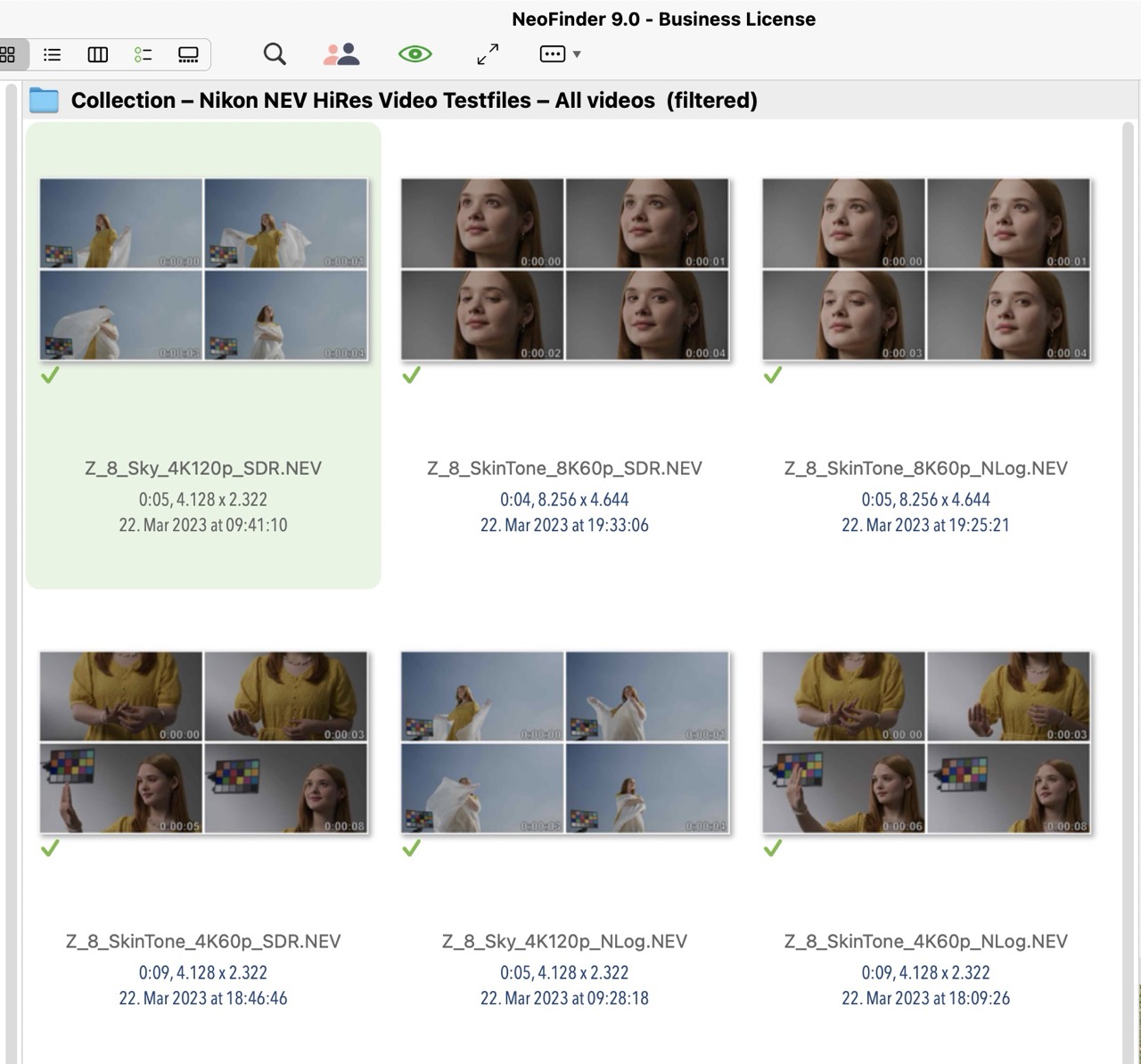
NeoFinder 9.0 for macOS now has integrated native support for cataloging of Nikon NEV video files, no other software needed!
https://www.cdfinder.de/guide/22/neofin ... ideos.html
NeoFinder uses the official libraries provided by RED for this format.
And that is not all! It is not just for cataloging of thumbnails and metadata, but also supports the enhanced movie contact sheet!
https://www.cdfinder.de/guide/22/22.1/m ... sheet.html
Enjoy!
- NEV sample files.jpg (210.37 KiB) Viewed 60134 times
QuickTags - Single Click Annotations in NeoFinder!
Posted: Thu Nov 27, 2025 4:38 pm
by neo-admin
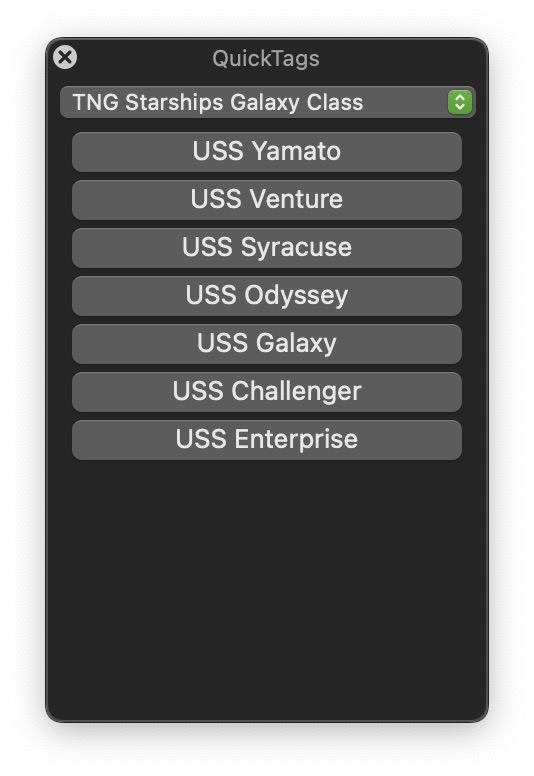
QuickTags is a cool new way to create groups of
keywords that help you with annotating a large number of photos or videos very quickly.
We have updated the
NeoFinder Users Guide with more information about how that works. Enjoy!
https://www.cdfinder.de/guide/13/13.2/1 ... ktags.html
- QuickTags Group Content.jpg (54.91 KiB) Viewed 59819 times
Rename multiple files
Posted: Fri Nov 28, 2025 12:17 pm
by neo-admin
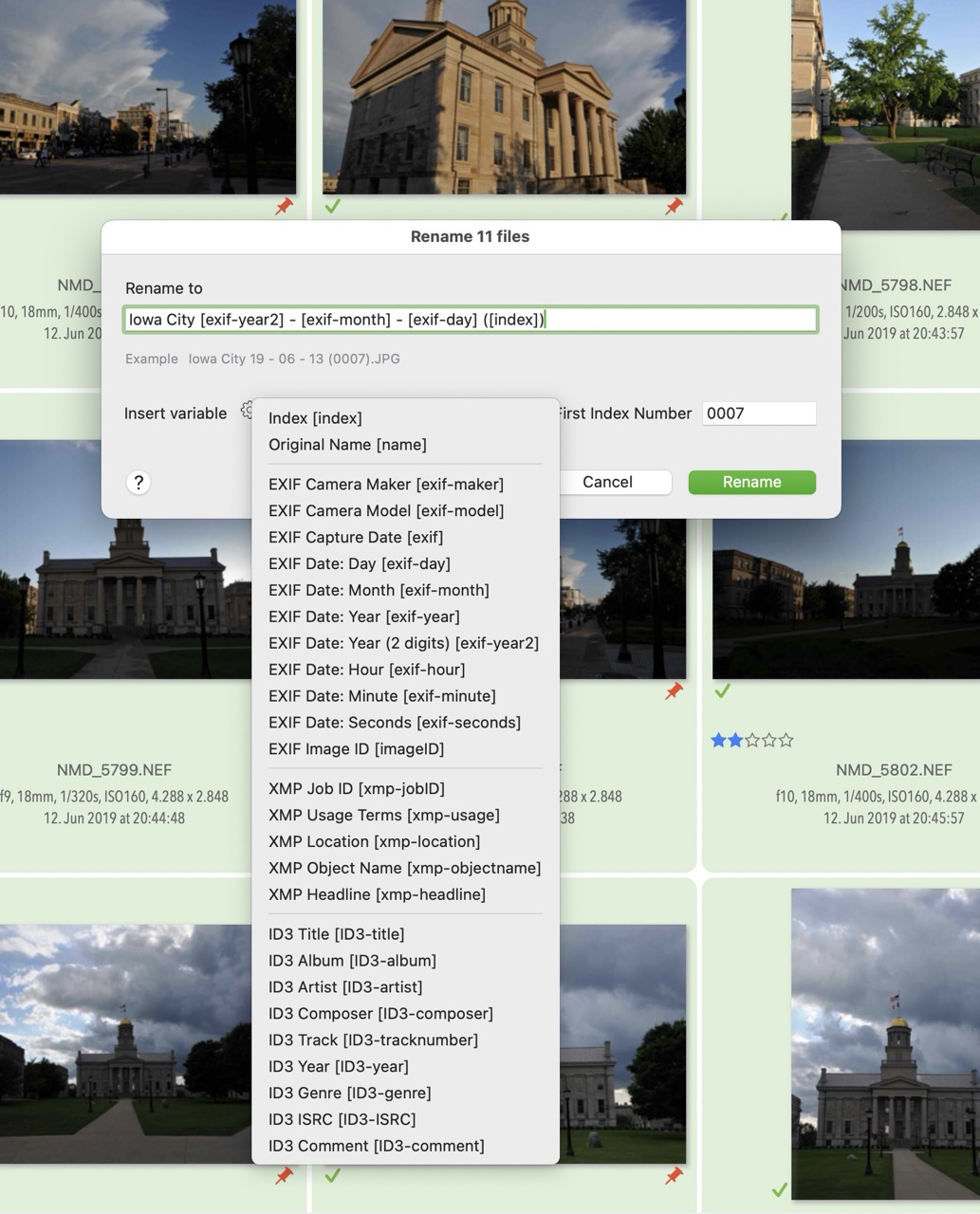
The integrated
Multi Rename tool in NeoFinder 9.0 for macOS now has ten more variables to be placed in the new names.
It is now possible to use the camera maker and model, the Image ID, multiple XMP values, and a two digit EXIF Capture Date year.
Make sure to check out the menu for all options available, and remember that these options are also there for you when you
Export photos, and soon for the
Image Capture tool as well!
https://www.cdfinder.de/guide/8/8.14/multi_rename.html
- rename options.jpg (259.67 KiB) Viewed 59411 times
Improved Display Filter
Posted: Tue Dec 09, 2025 9:54 am
by neo-admin
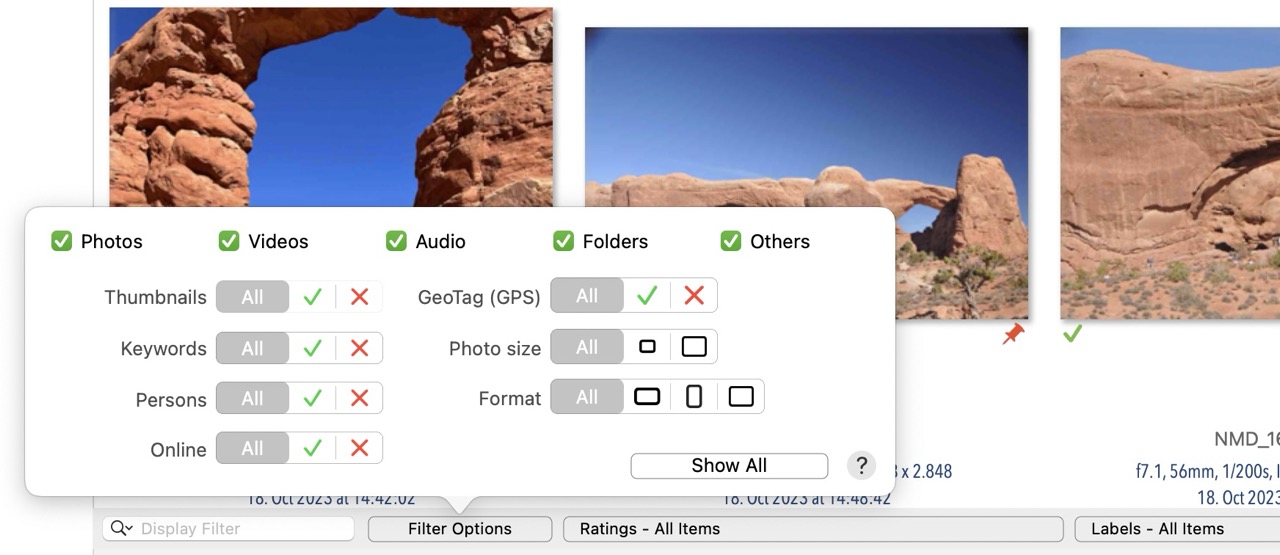
NeoFinder 9 for macOS has a new Display Filter interface with much faster
single click selections and the new option to filter out small or large photos. Make sure to check it out!
We have updated the NeoFinder Users Guide with the new abilities:
https://www.cdfinder.de/guide/4/4.13/di ... ilter.html
- DIsplay Filter.jpg (126.88 KiB) Viewed 58363 times
"Creme Rounded Cards" Web Gallery Template
Posted: Mon Feb 16, 2026 4:31 pm
by neo-admin
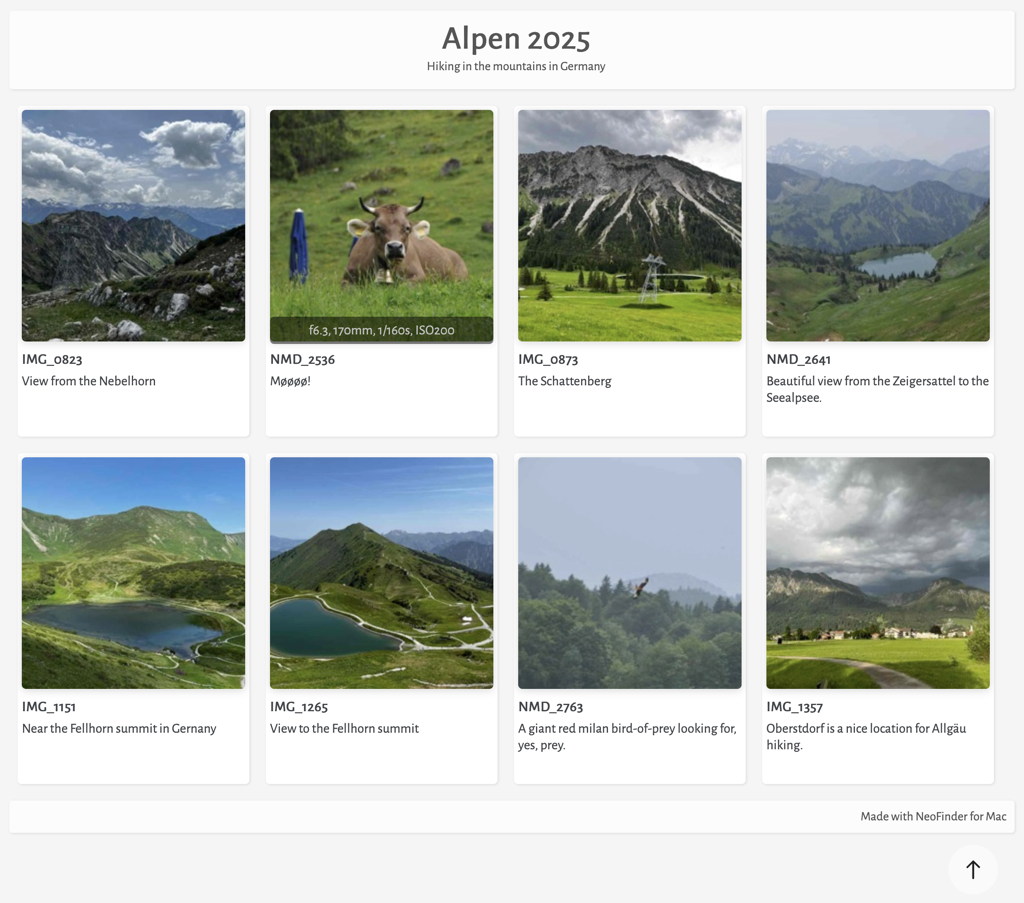
NeoFinder 9 has multiple new beautiful web galleries to present your photo assets, one of them is called "Creme Rounded Cards", which has a very elegant design, and both an integrated slideshow, as well as a customizable details page!
Check out a live example for yourself here:
https://www.wfs-apps.de/gallery/Creme/index.html
Click in the small
thumbnails to activate the slideshow, and in the in text section beneath each thumbnail for the
details page.
Also, watch how the technical photo details are
fading in and out when you hover over an image.
Read more about what NeoFinder offers for the HTML export in the NeoFinder Users Guide:
https://www.cdfinder.de/guide/10/10.1/n ... eries.html
- creme rounded cards.jpg (160.7 KiB) Viewed 55871 times
Catalog SMTPE time codes!
Posted: Tue Aug 25, 2026 8:55 am
by neo-admin
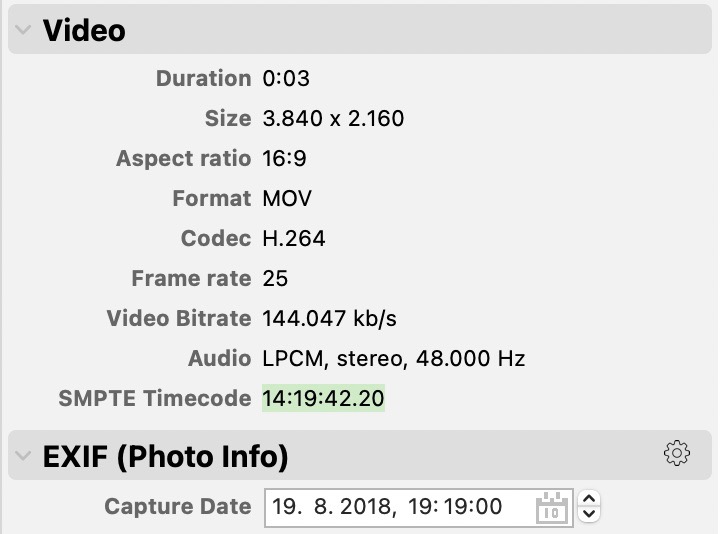
Did you know that NeoFinder 9 can catalog
SMTPE time codes embedded in video files, display them, and even search for them?
Just another
pro video feature in NeoFinder. Enjoy!
https://www.cdfinder.de/guide/22/neofin ... html#SMTPE
- smtpe time code inspector.jpg (53.53 KiB) Viewed 9808 times