Page 1 of 2
NeoFinder 9.2 has been released!
Posted: Mon Mar 02, 2026 9:27 am
by neo-admin
We have a RELEASE!
NeoFinder 9.2 for macOS is now available, full of new features and improvements!
We will post all that is new here and on all social media channels in the next weeks.
Please note that in macOS 15 and macOS 26, the integrated updater may not work.
In that case, please download the new version from here, and replace the older NeoFinder.app with that new version.
From NeoFinder 9.2 onwards, the integrated updater will work properly again!
Download NeoFinder 9.2 from the NeoFinder website:
https://www.cdfinder.de/download.html
NeoFinder is proudly engineered by actual human beings, no AI was involved in the creation of this software.

- NeoFinder.9.2.jpg (175.37 KiB) Viewed 47877 times
Import WinCatalog database files!
Posted: Wed Mar 04, 2026 4:22 pm
by neo-admin
Number 25!
WinCatalog is the twenty-fifth format that NeoFinder 9.2 for macOS is now able to Import and convert to valuable NeoFinder catalogs directly!
WinCatalog is being used a lot on Windows, and now its users can convert their native ".w3cat" database files into NeoFinder catalogs with the NeoFinder Importer.
https://www.cdfinder.de/guide/3/3.6/import.html
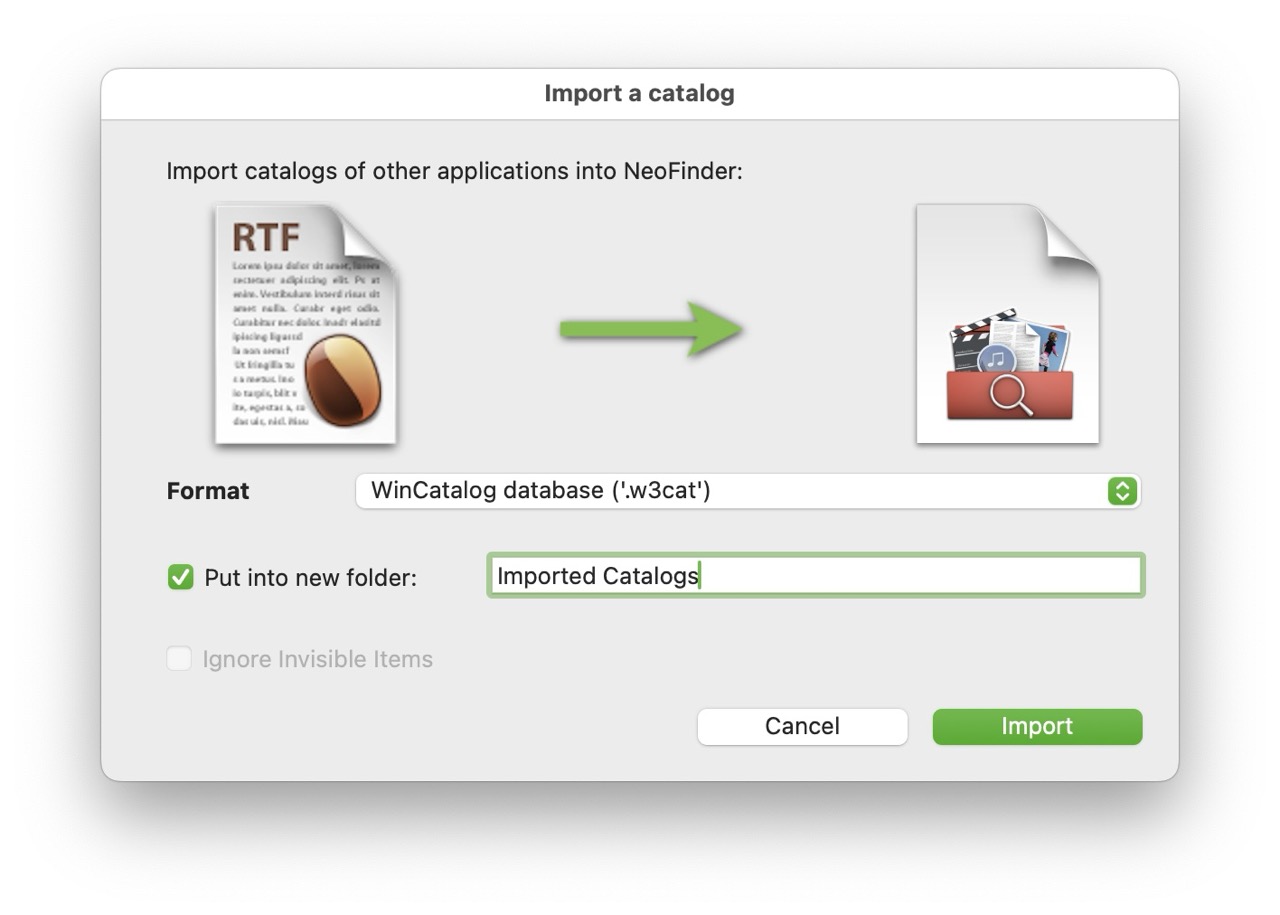
- Import WinCatalog.jpg (103.25 KiB) Viewed 47593 times
Catalog Folder icons!
Posted: Fri Mar 06, 2026 2:27 pm
by neo-admin
NeoFinder 9.2 for macOS now allows you to change the icon that is being used for a Catalog Folder in your NeoFinder LIBRARY.
It works similar to changing the icons of a Catalog, and we have updated the NeoFinder Users Guide to show you how that works.
https://www.cdfinder.de/guide/4/4.1/folders.html
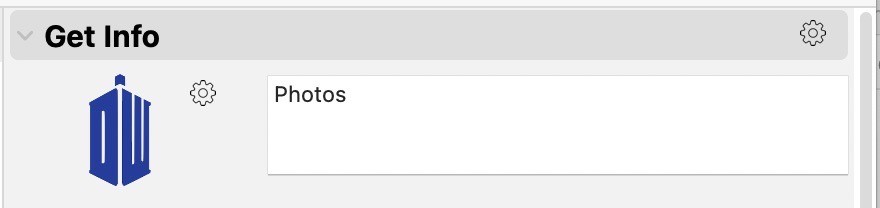
- custom catFolder icons inspector Large.jpeg (18.79 KiB) Viewed 47370 times
Import Adobe metadata presets into NeoFinder!
Posted: Mon Mar 09, 2026 3:41 pm
by neo-admin
NeoFinder 9.2 for macOS is able to import
metadata presets from
Adobe products directly into the NeoFinder Metadata Presets.
We have updated the NeoFinder Users Guide with the new information:
https://www.cdfinder.de/guide/13/13.3/m ... esets.html

- Metadata Preset Import.jpg (103.41 KiB) Viewed 47162 times
Display Filter text
Posted: Fri Mar 13, 2026 2:21 pm
by neo-admin
The
Display Filter in NeoFinder 9.2 for macOS now allows you to choose which field is being used for the filter: name, comment, persons, keywords, caption, or XMP location.
So now you can filter out certain keywords, or people, or what you need.
That is a massive improvement for flexibility!
We have updated the NeoFinder Users Guide with a screenshot and additional information about that.
https://www.cdfinder.de/guide/4/4.13/di ... ilter.html
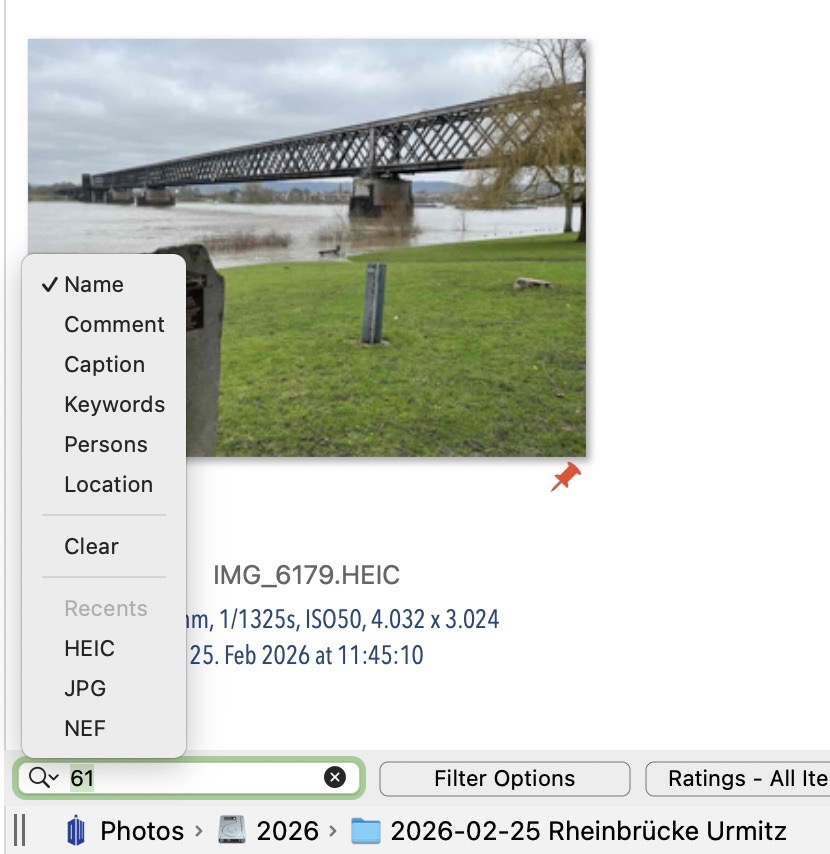
- Display Filter Kind Selection.jpg (110.99 KiB) Viewed 46909 times
Welcome SSD!
Posted: Mon Mar 16, 2026 5:21 pm
by neo-admin
Welcome, SSD!

NeoFinder 9.2 for macOS now finally has a Volume Media type "SSD." You can select it in the Inspector from the menu for any catalog.
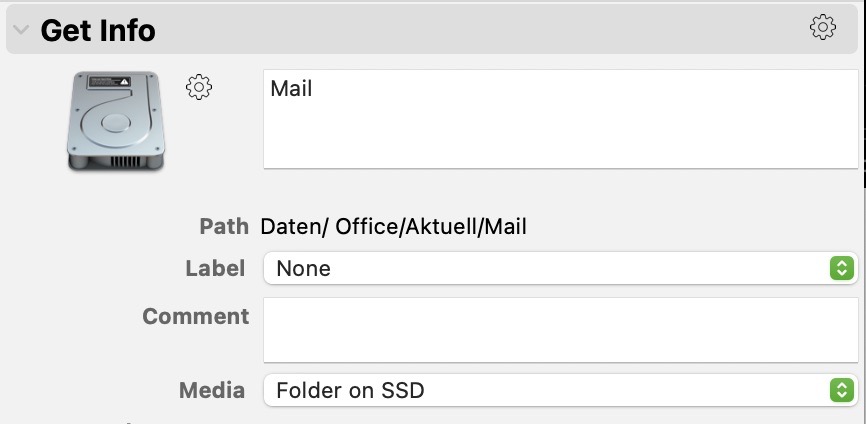
- SSD!.jpg (39.47 KiB) Viewed 46671 times
Edit the Text Preview!
Posted: Tue Mar 17, 2026 3:30 pm
by neo-admin
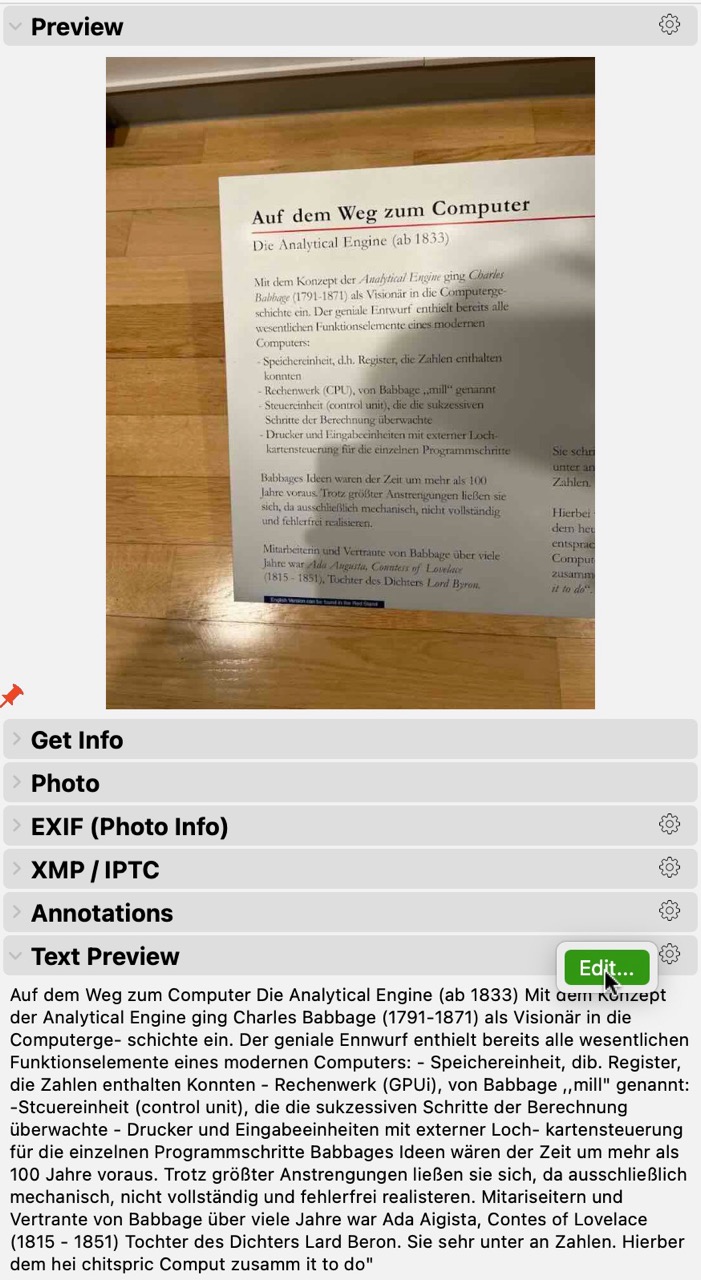
NeoFinder 9.2 for macOS can now
edit the text content excerpt for a file in a catalog, using the Inspector.
This is particularly helpful when these were created by the
Image Analysis process that uses OCR to grab text from thumbnails.
There are sometimes incorrect or unwanted text sections in there.
https://www.cdfinder.de/guide/30/30.5/i ... lysis.html
Use the
Tools menu to edit the content.
We have updated the NeoFinder Users Guide to show you how:
https://www.cdfinder.de/guide/21/neofin ... _text.html
- Edit Text Preview.jpg (223.9 KiB) Viewed 46513 times
Invert Selection!
Posted: Thu Mar 19, 2026 4:09 pm
by neo-admin
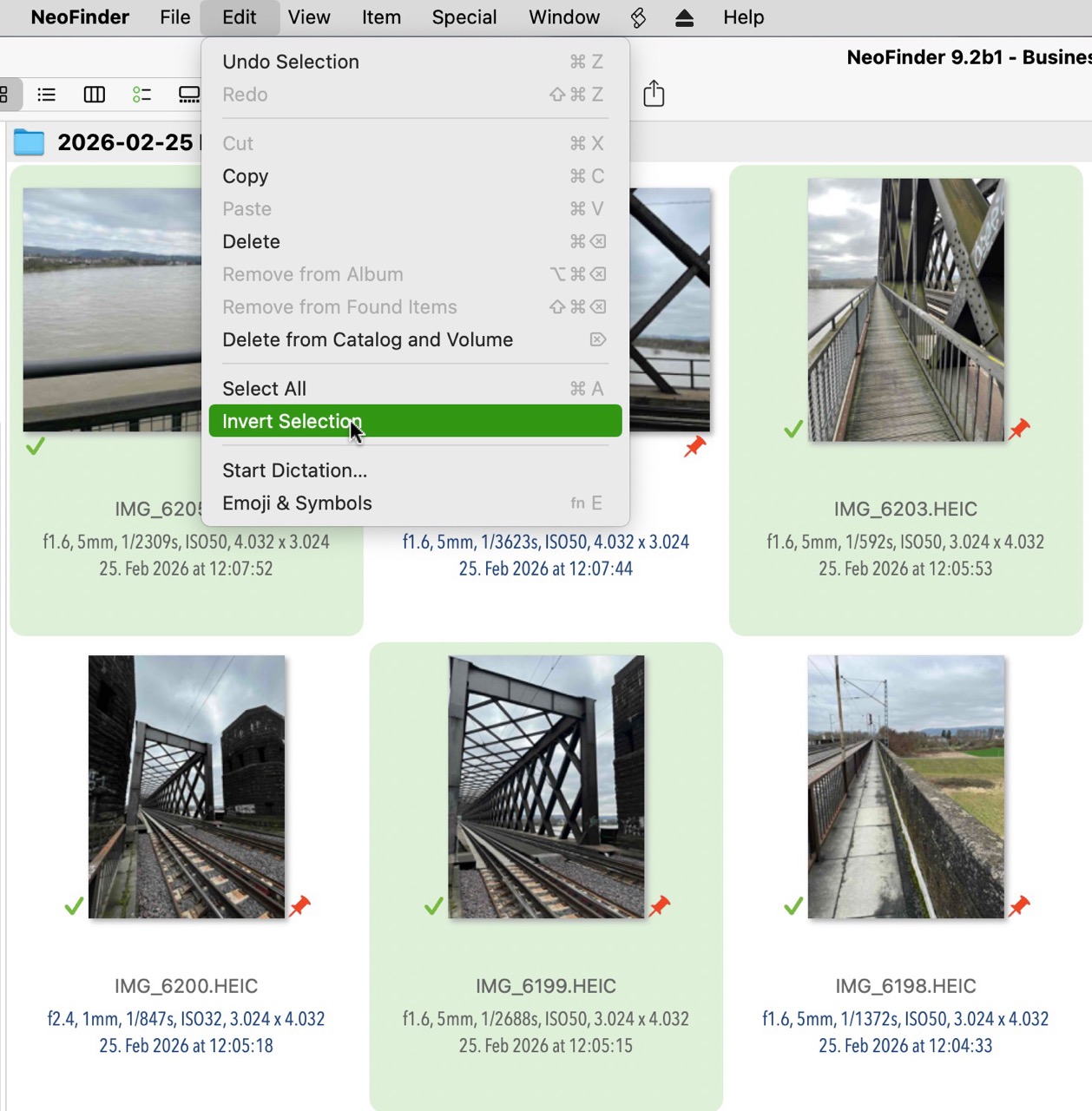
NeoFinder 9.2 for macOS has a new "Invert Selection" menu command for all content view styles!
That makes it again easier to quickly work with large amounts of data.
- Invert Selection Command.jpg (269.43 KiB) Viewed 46291 times
And that is how it will look afterwards:

- Invert Selection Result.jpg (257.94 KiB) Viewed 46291 times
Find Editor: Path!
Posted: Fri Mar 20, 2026 2:11 pm
by neo-admin
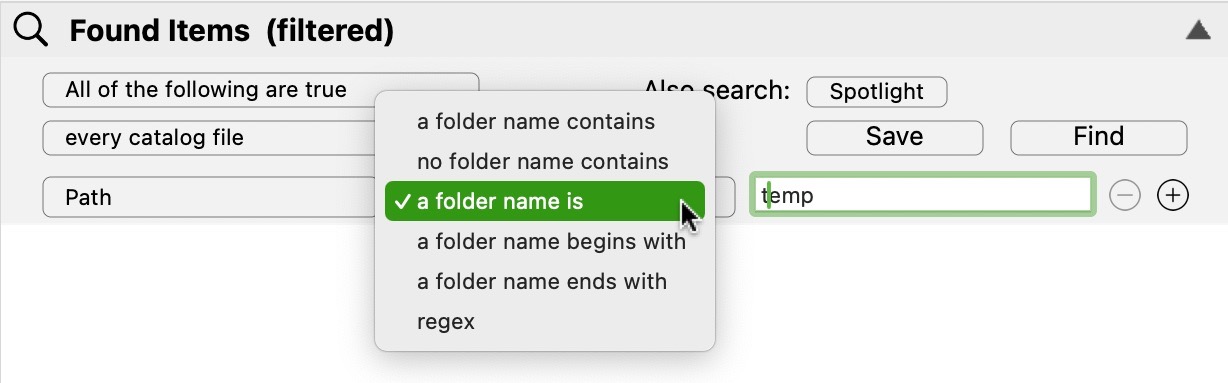
NeoFinder 9.2 for macOS has more and better path related parameters in the Find Editor to search for exact folder names, "folder name begins with" and "folder name ends with" options.
We have updated the NeoFinder Users Guide with more information:
https://www.cdfinder.de/guide/5/5.2/fin ... .html#Path
- Find Editor Path Params.jpg (71.68 KiB) Viewed 46103 times
Help Tags for QuickTags and QuickPersons
Posted: Tue Mar 24, 2026 10:50 am
by neo-admin
We really think it is the small things that make all the difference.
Like Help Tags.
We have added them to the
QuickTags and
QuickPersons tools in NeoFinder 9.2 for macOS.
If the panel is not wide enough to show the full text of a person name or keyword, you can hover over it with the mouse and NeoFinder will show you the complete content in a Help Tag.
Another nice improvement, thanks to very good feedback from our users!
Read more about QuickTags and QuickPersons in the NeoFinder Users Guide:
https://www.cdfinder.de/guide/13/13.2/1 ... ktags.html
https://www.cdfinder.de/guide/13/13.4/1 ... rsons.html

- QuickTags Help Tag.jpg (48.39 KiB) Viewed 45814 times
Icon View Help Tags
Posted: Wed Mar 25, 2026 3:30 pm
by neo-admin
And since we talked about
Help Tags (or
tool tips) being helpful, how about this one?
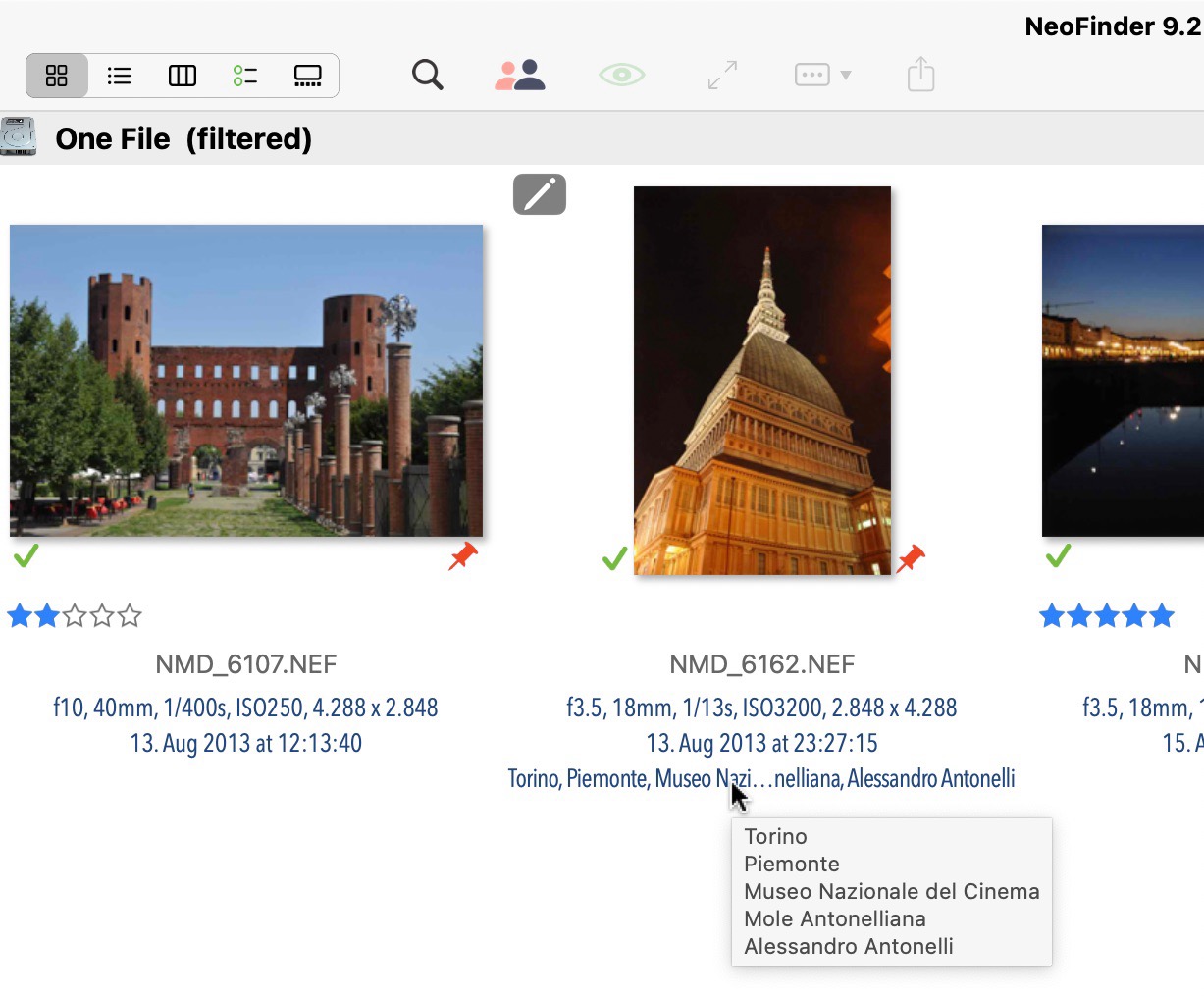
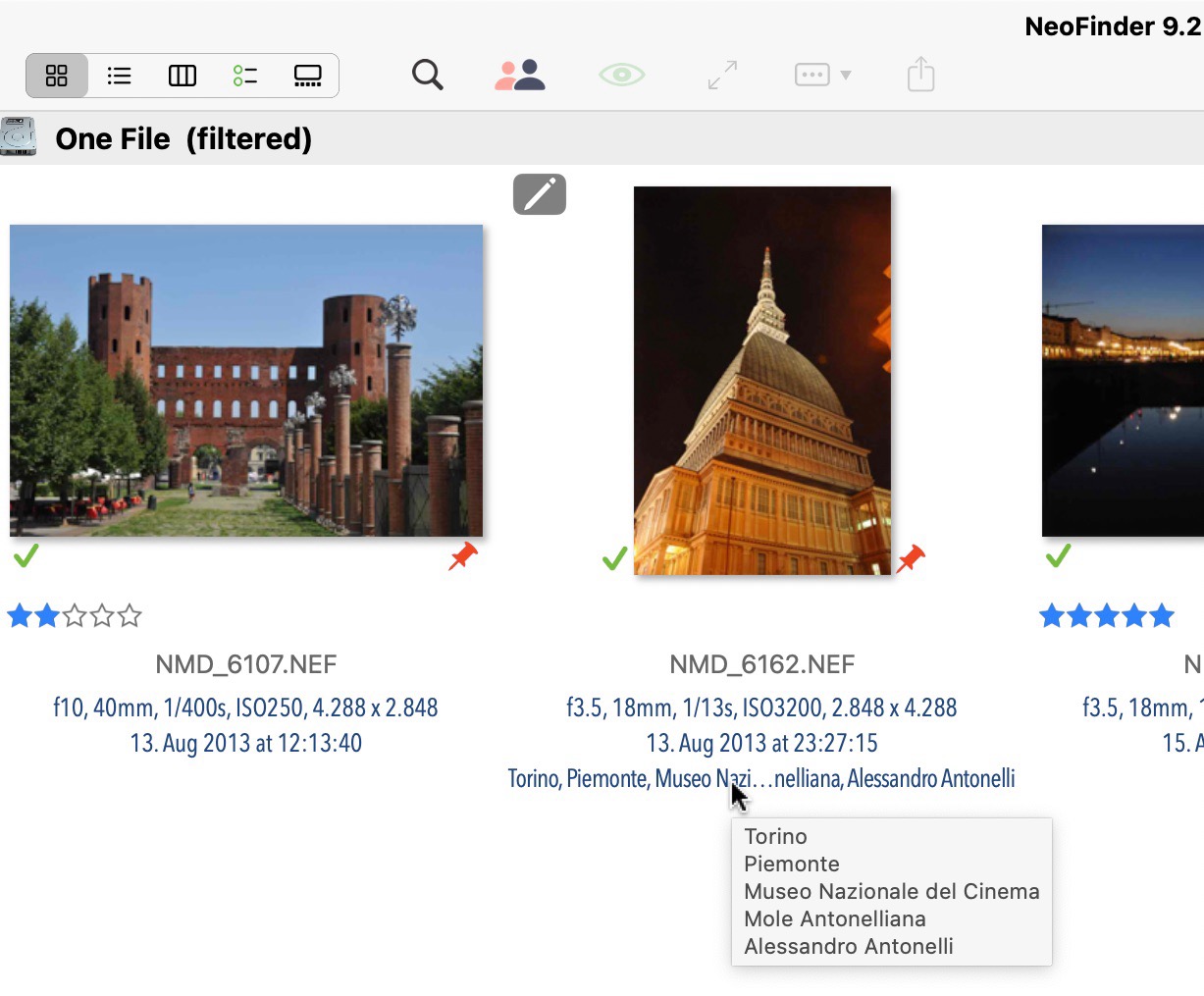
NeoFinder 9.2 for macOS shows the entire set of keywords for an item in Icon View, and Details View, as a Help Tag.
Incredibly useful for people using hierarchical keywords, or just a LOT of keywords.
- Keywords Help Tags.jpg (179.73 KiB) Viewed 45608 times
SSD automatic detection!
Posted: Thu Mar 26, 2026 5:36 pm
by neo-admin
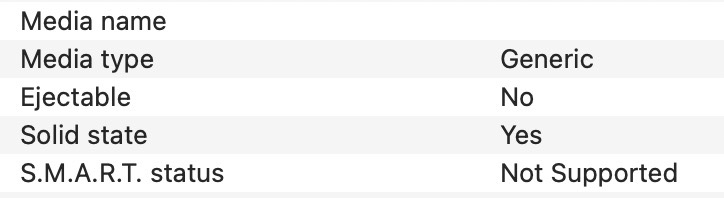
And yes, of course, NeoFinder is able to detect a disk as an SSD when you catalog it!
NeoFinder now uses the same code that Apple uses in its "Disk Utility.app" to find out if a device is actually really an SSD.
This is the Information window in Apples "Disk Utility.app" for a real SSD.
- Disk Utility SSD discovery.jpg (22.98 KiB) Viewed 45393 times
Display Filter Power Feature!
Posted: Fri Apr 17, 2026 9:32 am
by neo-admin
The
Display Filter in NeoFinder 9.2 allows "##" for "empty field" and "@@" for "not empty field"
placeholder values.
This feature offers a whole new power to just see the items you need for a specific task at hand.
We have updated the NeoFinder Users Guide with that additional ability:
https://www.cdfinder.de/guide/4/4.13/di ... ilter.html

- display filter field not empty.jpg (25.64 KiB) Viewed 43687 times
QuickTags to Controlled Vocabulary
Posted: Wed Apr 22, 2026 4:51 pm
by neo-admin
I love to say this: It is the little things!
It is always the little things that help your job getting finished faster and easier.
Like this one.
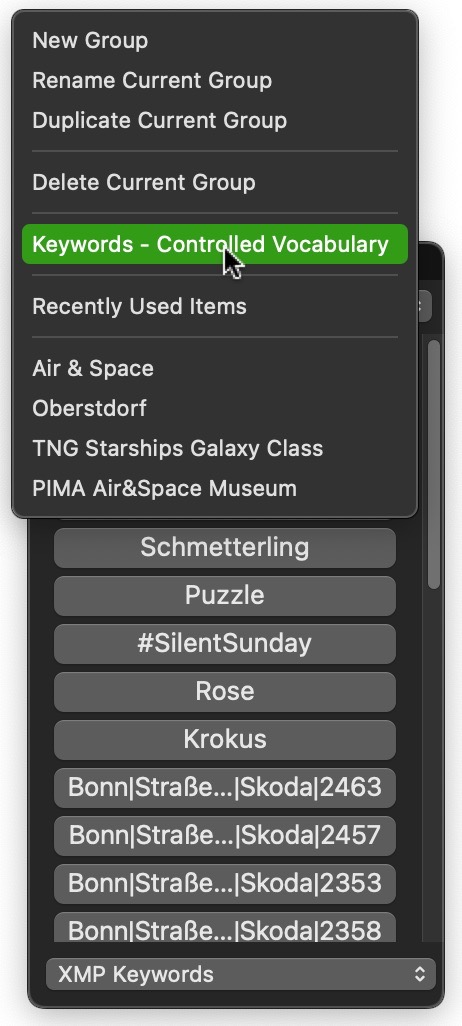
NeoFinder 9.2 for macOS now has a command to open the
Controlled Vocabulary window directly from the
QuickTags menu.
The NeoFinder Users Guide has been updated with this new ability:
https://www.cdfinder.de/guide/13/13.2/1 ... ktags.html
- QuickTags Controlled Vocabulary Command.jpg (93.48 KiB) Viewed 43334 times
QuickTags direct link in the Controlled Vocabulary
Posted: Mon Apr 27, 2026 4:47 pm
by neo-admin
And the other way around, you can now open QuickTags directly from the tools menu in the Controlled Vocabulary Window of NeoFinder 9.2.1 for macOS, as it should be!
https://www.cdfinder.de/guide/13/13.2/n ... words.html

- QuickTags in Controlled Vocabulary.jpg (136.49 KiB) Viewed 42879 times
Icon View: Help Tags more helpful!
Posted: Tue Apr 28, 2026 3:21 pm
by neo-admin
The
Icon View in NeoFinder 9.2 for macOS has a new multi line
tooltip for keywords and persons annotation fields.
So very helpful!
Read more about the Icon View in the NeoFinder Users Guide:
https://www.cdfinder.de/guide/1/1.1/icon_view.html
And about how NeoFinder supports
Keywords or
Tags:
https://www.cdfinder.de/guide/13/13.2/n ... words.html
- Keywords Help Tags.jpg (179.73 KiB) Viewed 42609 times
Better help tags for Details View, too!
Posted: Mon May 04, 2026 4:21 pm
by neo-admin
And yes, NeoFinder 9.2 for macOS now has the multi-line Help Tags for
Keywords and
Persons in the
Details View as well!
Because of course!
https://www.cdfinder.de/guide/1/1.1/details_view.html
https://www.cdfinder.de/guide/13/13.2/n ... words.html
https://www.cdfinder.de/guide/13/13.4/n ... rsons.html

- multi-line Tag HelpTag Details View.jpg (107.71 KiB) Viewed 41809 times
Undo! Metadata Preset Deletion
Posted: Wed May 06, 2026 10:49 am
by neo-admin
Some new features actually don't show up much in the user interface, but are important anyway.
Here is one we added to NeoFinder 9.2 for macOS.
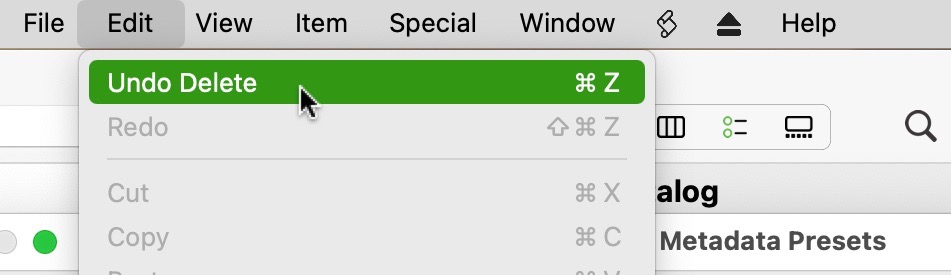
It is about deleting a Metadata Preset in the
Metadata Presets Editor, which now supports
Undo, and thus won't ask you for confirmation anymore.
Yet if that deletion was a mistake, no worries, you can
undo it now!
https://www.cdfinder.de/guide/13/13.3/m ... esets.html
https://www.cdfinder.de/photo-organizer.html
- Undo Delete Metadata Preset.jpg (40.17 KiB) Viewed 41440 times
Catlaog .tgz Archives!
Posted: Thu May 07, 2026 5:04 pm
by neo-admin
NeoFinder 9.2 for macOS adds the ability to catalog the contents of .tgz archive files, an archive format similar to .zip, but with a higher efficiency.
We have updated the NeoFinder Users Guide with that new feature:
https://www.cdfinder.de/guide/3/3.3/cat ... tings.html

- TGZ archive file content.jpg (166.71 KiB) Viewed 41214 times
More Finder Info enhancements
Posted: Mon May 11, 2026 2:49 pm
by neo-admin
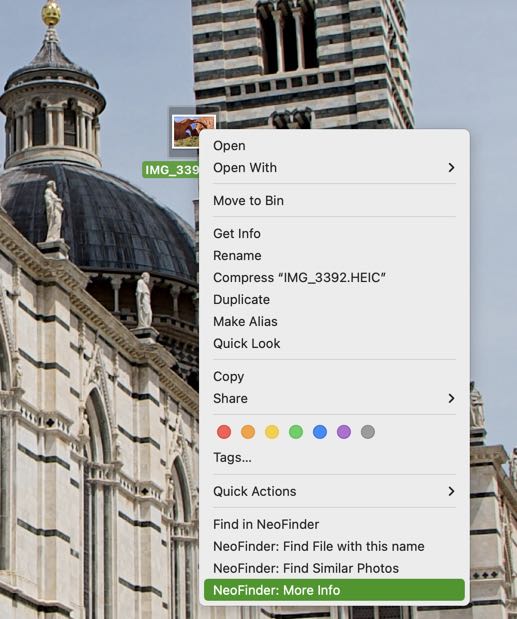
You do know about the
More Finder Info option in NeoFinder? Right?
Where NeoFinder can show to detailed metadata and thumbnails of any file in the Finder, without the need to catalog it with NeoFinder?
We have improved that feature for NeoFinder 9.2 for macOS, and it can now show metadata for external Finder files in RED, NEV, BRAW, Pixelmator, IIQ, EIP, GoPro and other formats!
Check out More Finder Info in the
NeoFinder Users Guide:
https://www.cdfinder.de/guide/13/13.10/ ... _info.html
- more-info-menu-command.jpg (59.05 KiB) Viewed 40900 times
